
Introduction to Digital WSQ Certificates
The Workforce Skills Qualifications (WSQ) framework is a nationally recognized system designed to train, develop, assess, and certify skills and competencies for the Singapore workforce. Traditionally issued as physical certificates, WSQ credentials are increasingly available in digital formats—commonly referred to as WSQ e-Certs.
Digital WSQ certificates offer enhanced convenience for holders and employers alike. They reduce risks associated with loss or damage and facilitate easy sharing and verification. As of 2024, understanding the best practices for managing these e-Certs remains essential for professionals and organisations involved in workforce development.
Where to Store Digital WSQ Certificates
Proper storage ensures your WSQ e-Certs remain accessible yet secure. Here are recommended options:
- Official Platforms: Many training institutions provide a secure portal or personal account where learners can log in to download or view their certified qualifications. Always use official sources first, such as the SkillsFuture portal (skillsfuture.gov.sg), to access your WSQ e-Certs.
- Cloud Storage Services: Personal cloud accounts (e.g., Google Drive, Dropbox, or OneDrive) offer encrypted storage and easy access across devices. Ensure your account employs strong passwords and two-factor authentication for security.
- Digital Wallets or Credential Apps: Some workforce-related apps or digital wallets support the storage of e-certificates and verification credentials. These apps often facilitate direct sharing to prospective employers or training bodies.
- Local Secure Backup: For additional security, maintain an encrypted copy of your certificates on an external hard drive or secure USB device. This provides a fallback in case of internet connectivity issues or service outages.
How to Verify the Authenticity of WSQ e-Certs
Verification is critical to prevent fraud or misrepresentation of qualifications. The following methods are standard for confirming the authenticity of WSQ e-Certs:
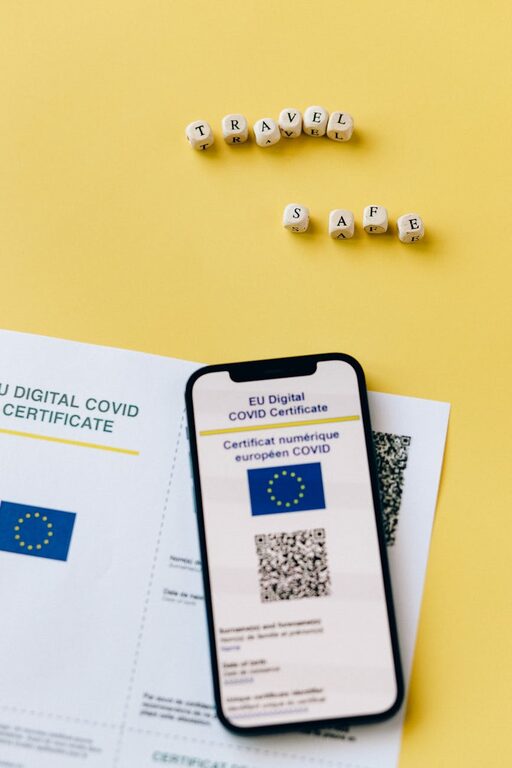
- QR Code Scanning: Most WSQ e-Certs include a QR code linked to a verification system. Scanning this code with a QR reader or smartphone app will redirect users to the official certificate verification page, confirming details such as the certificate holder’s name, course completed, and issuing institution.
- SkillsFuture and WSQ Portals: WSQ certificates can also be verified on government-associated portals. Learners or employers can check the authenticity of certificates by logging into platforms like the SkillsFuture Credit portal.
- Direct Employer & Institution Verification: Employers or third parties may contact the issuing training institution or SkillsFuture Singapore directly for authentication when required.
- Digital Signatures and Security Features: Look for embedded digital signatures or other security markers such as unique certificate IDs or blockchain-based verification mechanisms in the e-Cert document.
How to Show WSQ e-Certs to Employers
Presenting your digital WSQ certificates in a professional and verifiable manner can positively impact your job applications and career advancement:
- Direct Sharing: Share the certificate download link or the digital file from official portals or your secure storage during job applications or interviews.
- Print Options: If requested by employers, you may print the e-Cert with the QR code and other verification details intact. This helps the employer validate the certificate easily.
- Professional Profiles: Upload digital certificates to professional networking websites such as LinkedIn. LinkedIn also supports the addition of certification credentials directly to your profile with validation links.
- Credential Wallet Apps: Use digital credential wallets or apps that allow instant sharing of certificates along with verification capabilities in real-time, providing a seamless experience for employers.
Additional Considerations
- Keep Personal Information Up to Date: Regularly update your contact details with the issuing institutions to ensure certificates are issued and accessible correctly.
- Beware of Phishing and Fraudulent Sites: Always use official portals or recognised, trusted platforms for certificate access and verification.
- Data Privacy: Be mindful of the personal information included within your digital certificates and limit sharing to trusted recipients and contexts.
Conclusion
Digital WSQ certificates represent a trustworthy and modern way to present workforce qualifications in Singapore. Storing them securely on official platforms or encrypted digital services, verifying their authenticity through government-backed tools, and presenting them professionally to employers ensures that your skills and competencies are recognized promptly and reliably. As technology progresses, it is advisable to stay updated with the latest WSQ e-Cert policies through official channels such as SkillsFuture Singapore and workforce-related portals.
For more information, visit the [SkillsFuture Singapore website](https://www.skillsfuture.gov.sg) and the [WSQ certification page by Workforce Singapore](https://www.wsg.gov.sg).
Disclaimer: This site is an informational blog and is not affiliated with the Government of Singapore.